Twisted Bilayer Boron Nitride Commensurate Lattice Structure Creation.
1. Introduction
This tutorial demonstrates the process of creating a periodic twisted bilayer hexagonal boron nitride (h-BN) structure based on the work presented in the following manuscript.
Manuscript
Lede Xian, Dante M. Kennes, Nicolas Tancogne-Dejean, Massimo Altarelli, and Angel Rubio, "Multiflat Bands and Strong Correlations in Twisted Bilayer Boron Nitride: Doping-Induced Correlated Insulator and Superconductor" Nano Lett. 19, 4934–4940 (2019) DOI: 10.1021/acs.nanolett.9b00986 1
We use the Materials Designer to create the periodic twisted bilayers at 7.34°, one of the cells the manuscript computes (Fig. 1g; text p. 4936). Each built cell has 244 atoms.
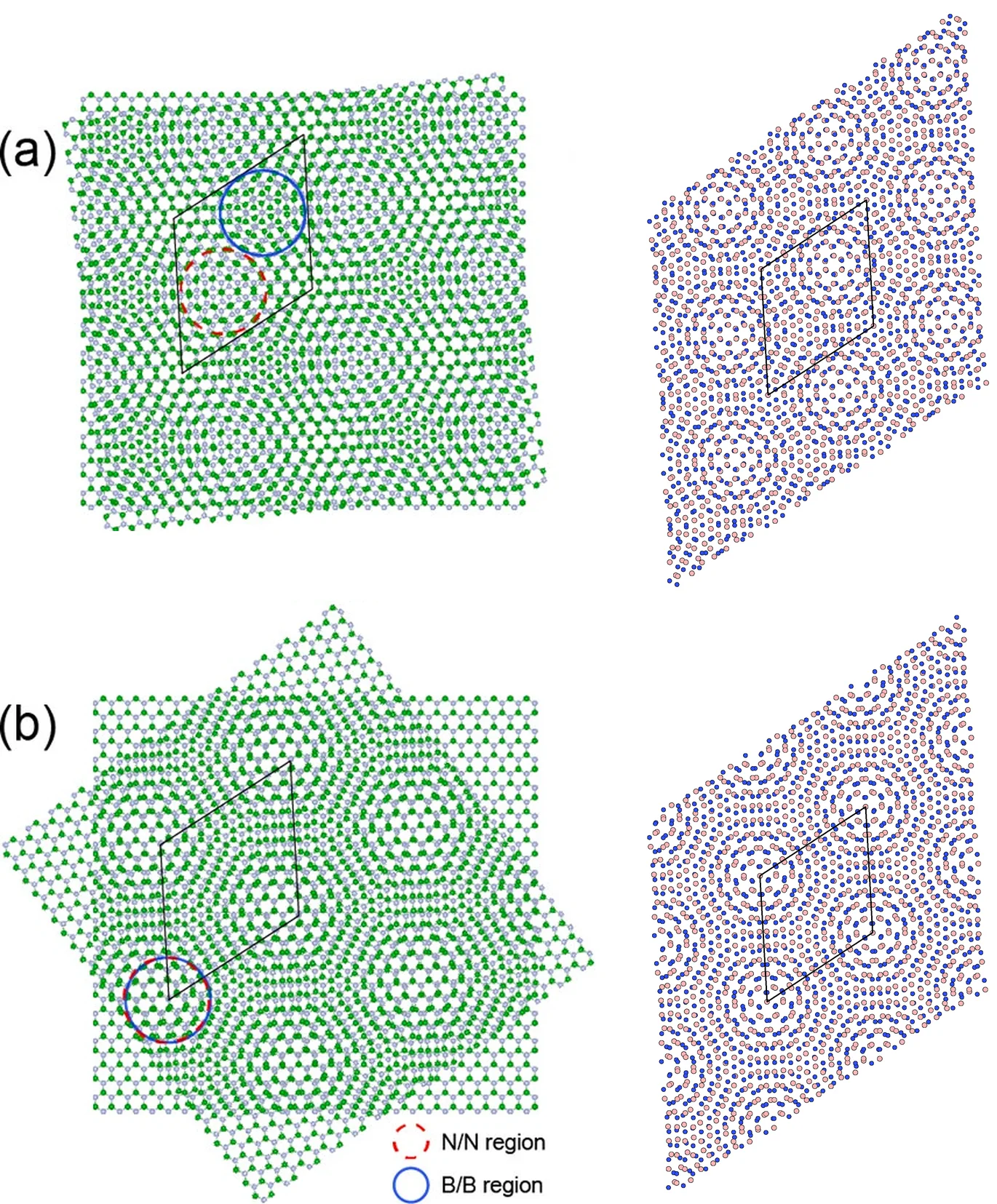
The manuscript's two configurations, α and β, share one moiré cell and their twist angles differ by 60° (p. 4935). With the h-BN from Standata, a twist of 60° + 7.34° gives configuration α and 7.34° gives β; this tutorial builds both.
Figure 1a,b of the manuscript shows both configurations (left); the cells built in this tutorial are shown next to them in the same top view (right).
2. Load and preview h-BN structure
First, we navigate to Materials Designer and import the h-BN monolayer from the Standata.

Standata's lattice constant of 2.509 Å is used as is; the manuscript uses 2.512 Å (Supporting Information, p. 2).
Then we will use the JupyterLite environment to create the twisted h-BN bilayers.
3. Create the h-BN bilayers
3.1. Launch JupyterLite Session
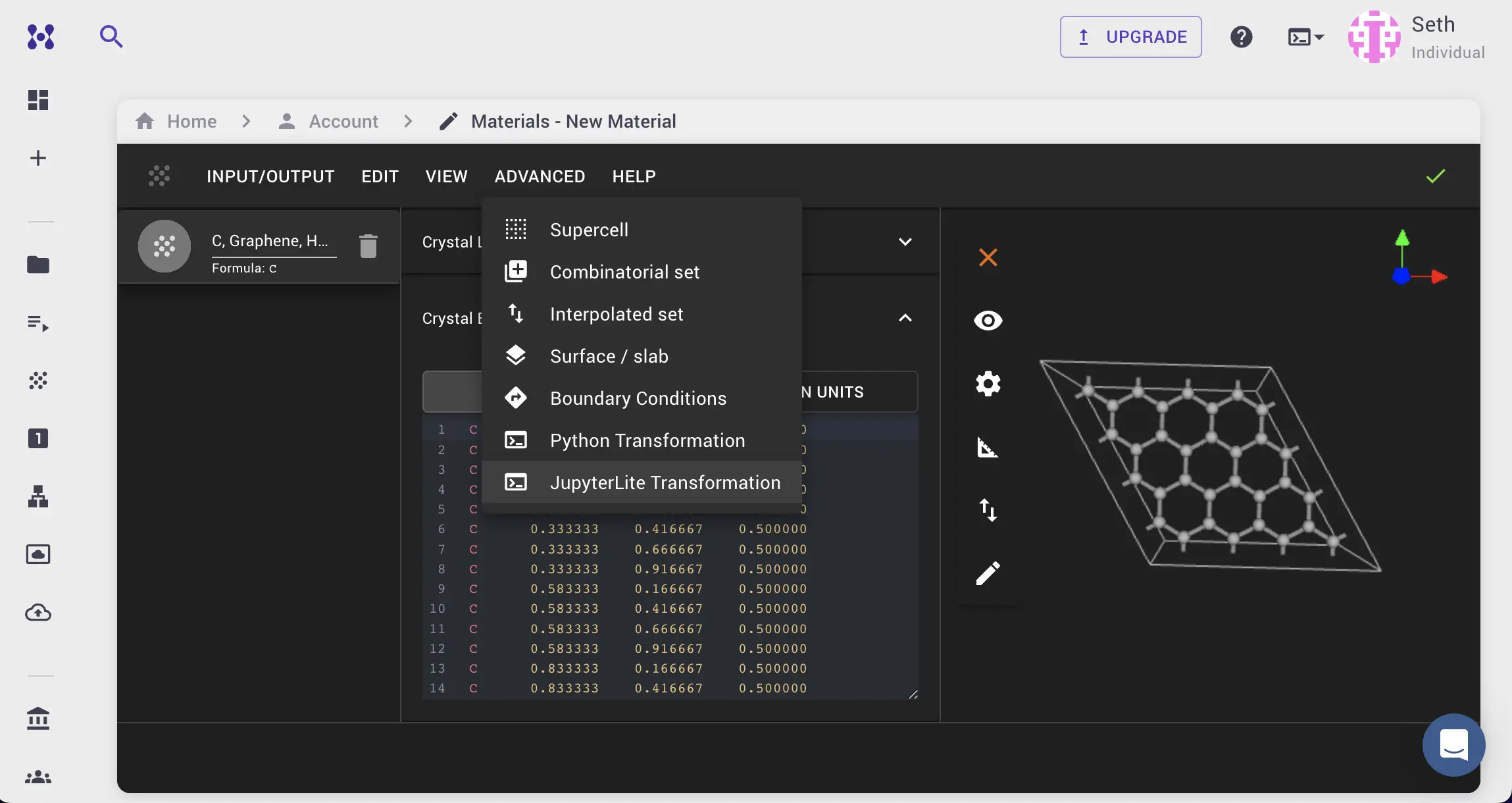
Select the "Advanced > JupyterLite Transformation" menu item to launch the JupyterLite environment.
3.2. Open and modify the notebook
Open specific_examples/interface_bilayer_twisted_commensurate_lattices_boron_nitride.ipynb
— the notebook embedded in section 4 below.
The first cell lists the configurations to build, each a name and a twist angle, and sets the interlayer distance:
1 2 3 4 5 6 7 8 9 10 11 12 13 14 15 16 | |
The defaults build α and β at 7.34°.
The interlayer distance of 3.23 Å is the manuscript's, the optimized distance of the bilayer without twist (p. 4935–4936).
The second cell holds the vacuum and visualization parameters:
1 2 3 4 5 | |
3.3. Run the Notebook
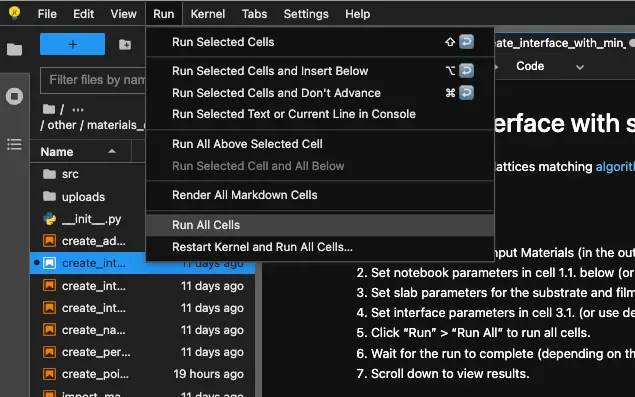
After setting the parameters, run the notebook to build every active configuration.
3.4. Check the geometry
For each structure the notebook prints the atom count, the composition, the cell, the interlayer distance, and the target twist angle:
1 2 | |
3.5. View results and pass to Materials Designer
The notebook shows the bilayers from the top and from the side. Each structure is saved to the
uploads folder under its name, and can also be passed to the Materials Designer for further
analysis. The Standata monolayer is saved as h-BN monolayer. The right column of the figure in
section 1 shows these cells, rotated to the orientation of the manuscript's Fig. 1a,b.
Once the structures exist, the band structure tutorial loads them by name and computes the width of their top valence flat bands.
4. Interactive JupyterLite Notebook
The interactive JupyterLite notebook for creating the twisted bilayer h-BN structure can be accessed below. To run the notebook, click the "Run All" button.
5. References
-
Lede Xian, Dante M. Kennes, Nicolas Tancogne-Dejean, Massimo Altarelli, and Angel Rubio. Multiflat bands and strong correlations in twisted bilayer boron nitride: doping-induced correlated insulator and superconductor. Nano Lett., 19(8):4934–4940, 2019. URL: https://doi.org/10.1021/acs.nanolett.9b00986. ↩