Pt Nanoparticles on MoS2(001) Surface via Adatoms.
1. Introduction
This tutorial demonstrates how to create a platinum island on MoS2 by adding Pt adatoms, following the methodology described in the literature.
Manuscript
Saidi, W. A. "Density Functional Theory Study of Nucleation and Growth of Pt Nanoparticles on MoS2(001) Surface" Crystal Growth & Design, 15(2), 642–652. (2015) DOI: 10.1021/cg5013395. 12345
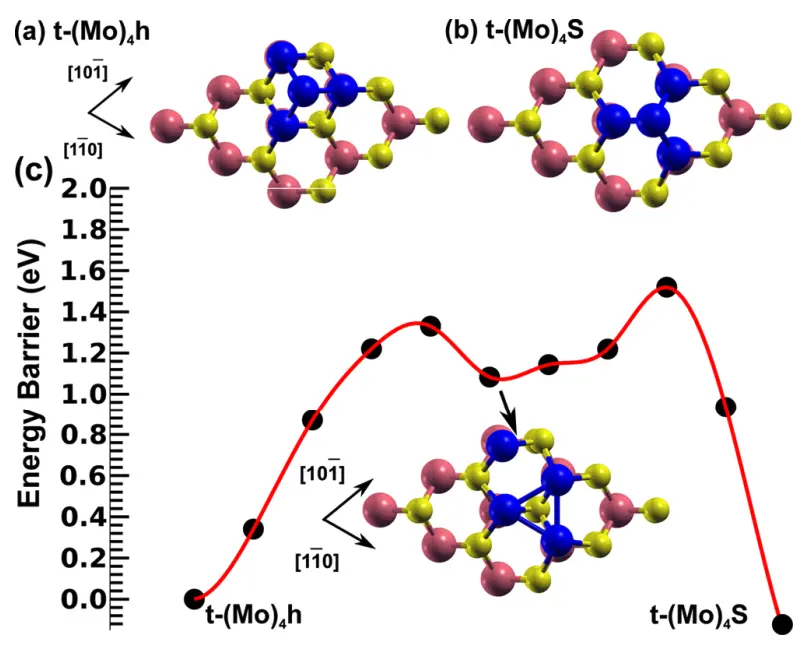
We will recreate the Pt island structure shown in Figure 4b:
2. Create MoS2 Substrate
2.1. Open Materials Designer
Navigate to Materials Designer.
2.2. Launch JupyterLite Session
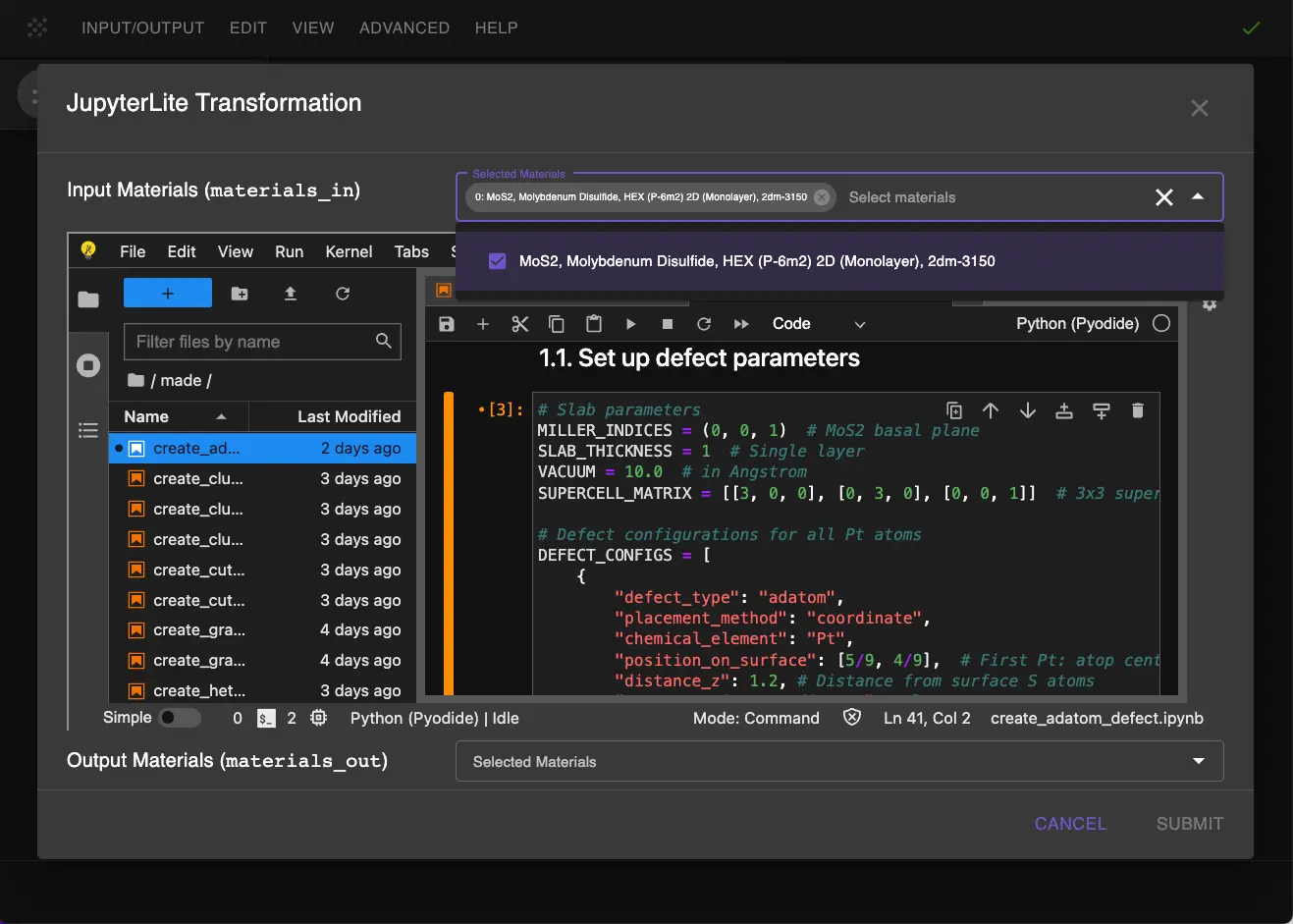
Select the "Advanced > JupyterLite Transformation" menu item to launch the JupyterLite environment.
2.3. Open defect_point_adatom_island_molybdenum_disulfide_platinum.ipynb Notebook
Find and open the specific_examples/defect_point_adatom_island_molybdenum_disulfide_platinum.ipynb notebook. It loads MoS2 from Standata by MATERIAL_NAME.
3. Configure and Create Structure
3.1. Set Parameters
Set up the slab and defect parameters in the notebook:
1 2 3 4 5 6 7 8 9 10 11 12 13 14 15 16 17 18 19 20 21 22 23 24 25 26 27 28 29 30 31 32 33 34 35 36 37 38 39 | |
Key parameters explained:
-
Base layer Pt atoms (first three entries of each size in
COORDINATES):- Positioned atop Mo atoms in a triangular arrangement
- Height 1.2 Å from surface S atoms to achieve separation from Mo atoms of 2.8 Å -- a starting height for the relaxation
-
Top Pt atom (fourth entry of each size in
COORDINATES):- Centered above the triangle, atop S atom
- Height 2.8 Å from surface S atoms (1.6 Å from base Pt atoms) -- a starting height for the relaxation
-
DISTANCE_Z_VALUESsets the distance along the z-axis from each adatom to the top S plane XY_SUPERCELL_MATRICESholds the two cell sizes, 3x3 and 5x5; the slab and defect cells run once for each size- The publication uses a = 3.18 Å; the notebook keeps Standata's 3.196 Å. In order to match the publication, strain the substrate with
create_strainbefore the slab is built, as in Graphene on h-BN
3.2. Run the Notebook
Execute the notebook to create the Pt island structure on MoS2 by selecting "Run" > "Run All Cells" from the JupyterLite menu.
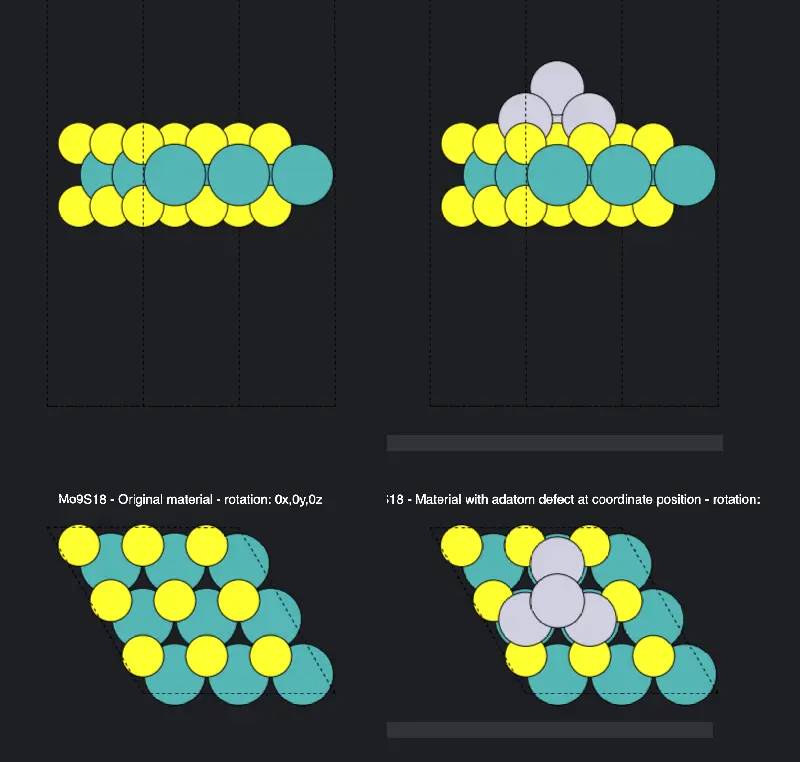
3.3. Pass the Result to Materials Designer
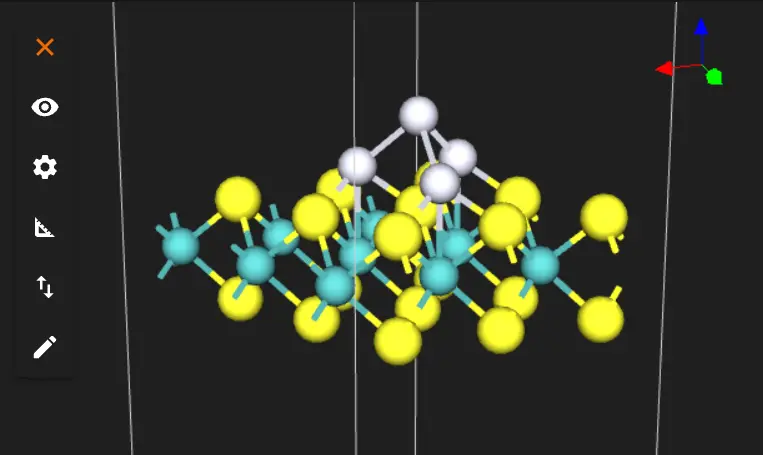
The result can be passed to Materials Designer for visualization and viewed from the top:
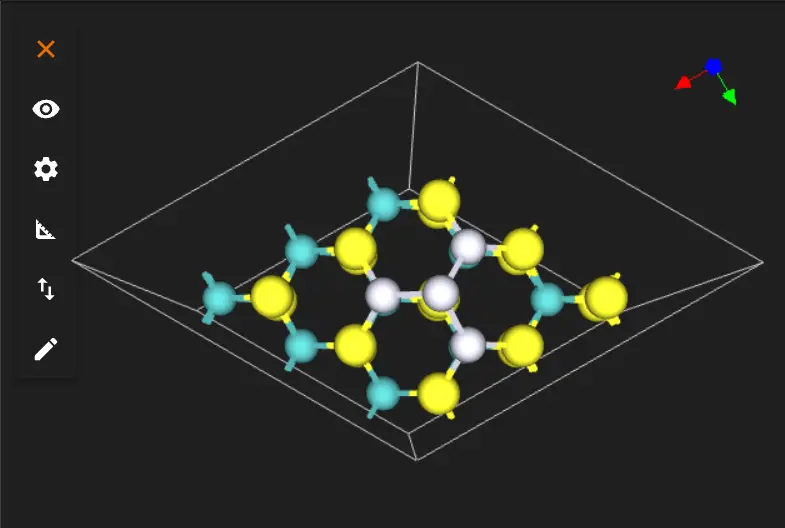
And from the side:
The 3x3 and 5x5 slabs from the top, beside Fig. 4(b) of the manuscript:

4. Analyze the Structure
After adding all Pt atoms, verify the following:
4.1. Base Layer Geometry
- Three Pt atoms should form a triangular base
- Each base Pt should be positioned atop Mo atoms
- Distance from surface S atoms should be ~1.2 Å
- Relaxation is needed to achieve the exact geometry from the publication, performed in the binding energy tutorial
4.2. Top Atom Position
- Fourth Pt should be centered above the triangle
- Position should be approximately above a surface S atom
- Height should be ~2.8 Å from surface (1.6 Å from base Pt atoms)
5. Save the Structure
The final structure will be automatically passed back to Materials Designer where user can:
- Save it on the platform
- Export it in various formats
- Use it for further transformations
The notebook passes six materials and writes them to the uploads folder, three per size: MoS2 3x3 monolayer, MoS2 3x3 Pt1 atop Mo and MoS2 3x3 Pt4 t-(Mo)4-S (27, 28 and 31 atoms, in a 9.59 × 9.59 × 26.27 Å cell), and the same three named 5x5 (75, 76 and 79 atoms, in a 15.98 × 15.98 × 26.27 Å cell). The three of a size share one cell, since the binding energy subtracts the clean layer from the Pt slabs. The binding energy tutorial loads the 5x5 ones by these names.
6. Interactive JupyterLite Notebook
The following embedded notebook demonstrates the complete process. Select "Run" > "Run All Cells".
7. Parameter Fine-tuning
In order to adjust the island structure, edit COORDINATES to move the Pt sites of each size, and DISTANCE_Z_1st_Pt_layer and DISTANCE_Z_2nd_Pt_layer to move the base and top heights.
8. References
-
W. A. Saidi. Density functional theory study of nucleation and growth of pt nanoparticles on mos2(001) surface. Crystal Growth & Design, 15(2):642–652, 2015. URL: https://doi.org/10.1021/cg5013395. ↩
-
M. Jiao, W. Song, H.-J. Qian, Y. Wang, Z. Wu, S. Irle, and K. Morokuma. Qm/md studies on graphene growth from small islands on the ni(111) surface. Nanoscale, 8(5):3067–3074, 2016. URL: https://doi.org/10.1039/c5nr07680c. ↩
-
Kristen A. Fichthorn and Matthias Scheffler. Island nucleation in thin-film epitaxy: a first-principles investigation. Phys. Rev. Lett., 84:5371, 2000. URL: https://link.aps.org/doi/10.1103/PhysRevLett.84.5371. ↩
-
Jörg Neugebauer and Matthias Scheffler. Mechanisms of island formation of alkali-metal adsorbates on al(111). Phys. Rev. Lett., 71:577, 1993. URL: https://link.aps.org/doi/10.1103/PhysRevLett.71.577. ↩
-
Mahbube Hortamani, Peter Kratzer, and Matthias Scheffler. Density-functional study of mn monosilicide on the si(111) surface: film formation versus island nucleation. Phys. Rev. B, 76:235426, 2007. URL: https://link.aps.org/doi/10.1103/PhysRevB.76.235426. ↩