Terrace Steps on Platinum (111) Surface.
1. Introduction
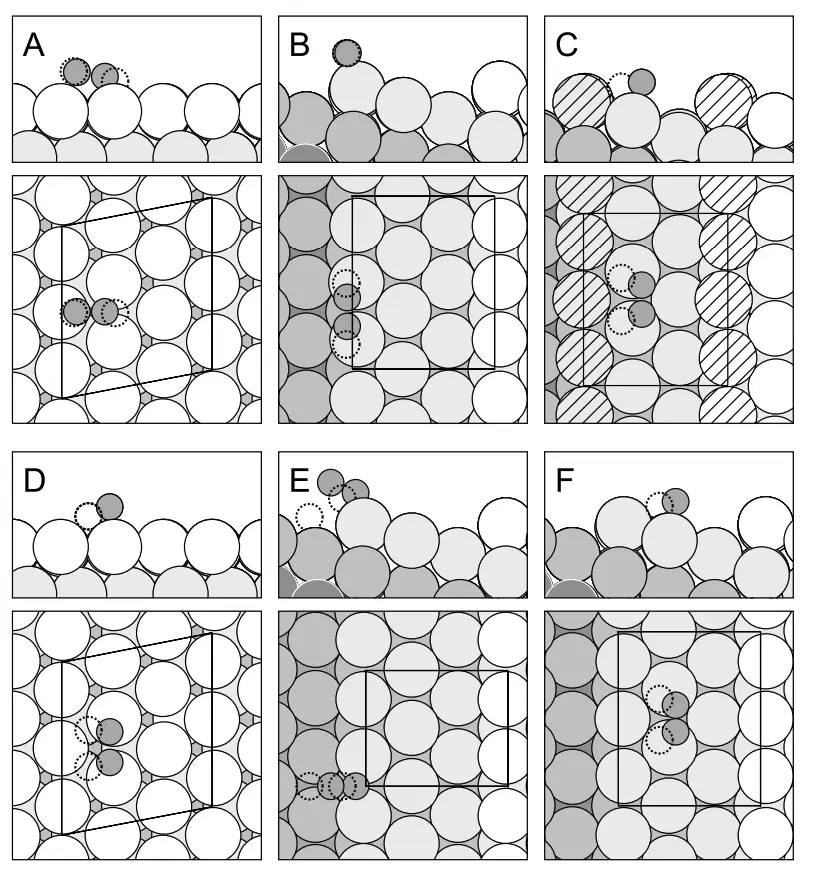
This tutorial demonstrates two different approaches to creating terrace steps on platinum surfaces, based on the work presented in the following manuscript:
Manuscript
Šljivančanin, Ž., & Hammer, B., "Oxygen dissociation at close-packed Pt terraces, Pt steps, and Ag-covered Pt steps studied with density functional theory." Surface Science, 515(1), 235–244. DOI: 10.1016/s0039-6028(02)01908-8. 1
We will focus on creating platinum surface with terrace steps, as shown in FIG. 1. B:
We will demonstrate two methods:
- Creating a Pt(211) surface which inherently contains steps
- Creating a terrace step on a Pt(111) surface using the TerraceSlabDefectBuilder
2. Method I: Create Pt(211) Surface
- Creates a surface with inherent steps
- Smaller unit cell
- Fixed step geometry
- Good for studying specific crystal faces
2.1. Import Base Material
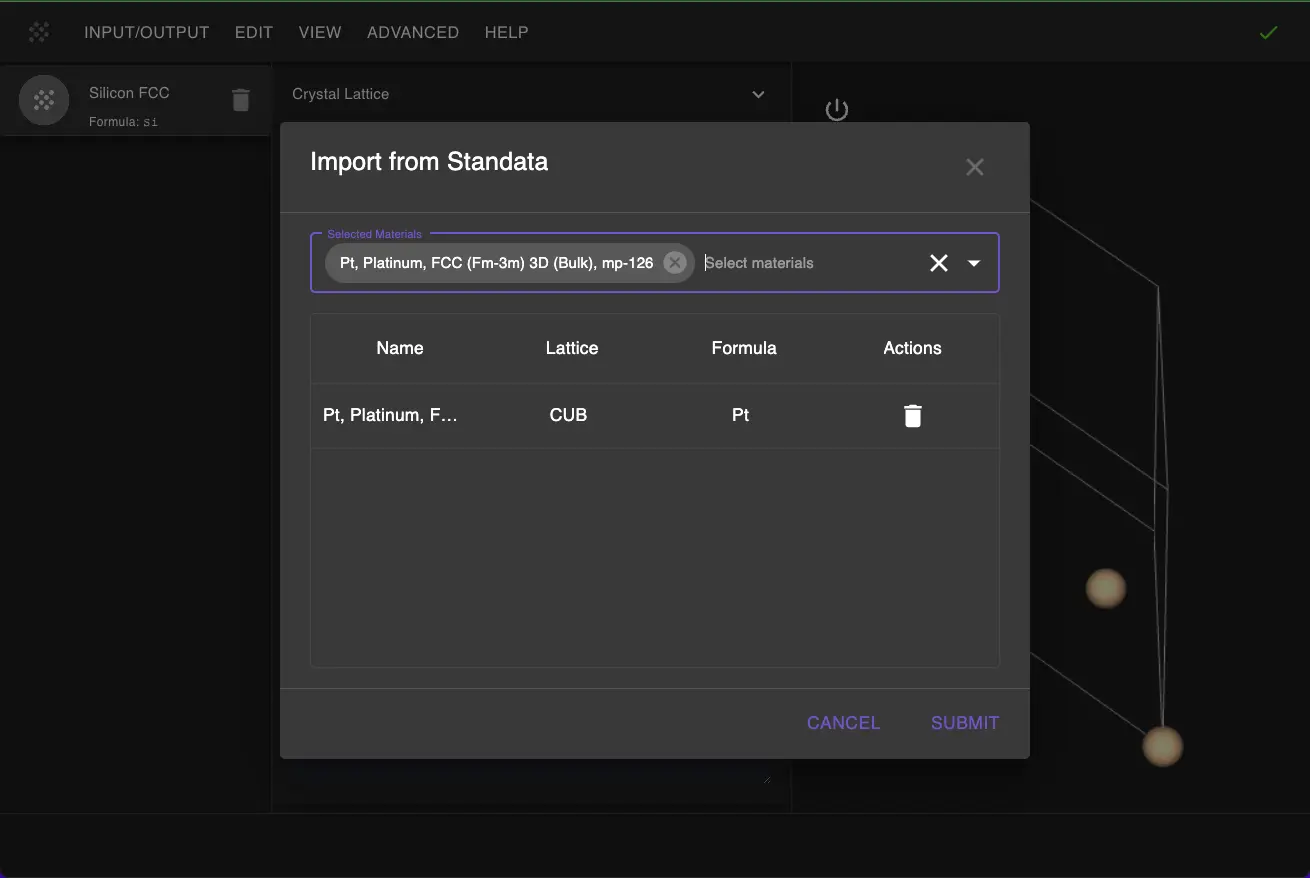
First, we need to import the platinum material from Standata:
- Navigate to Materials Designer
- Click on "Input/Output" menu
- Select "Import from Standata"
- Search for "Pt" and select the bulk platinum material
2.2. Launch JupyterLite Environment
Select "Advanced > JupyterLite Transformation" to open JupyterLite.
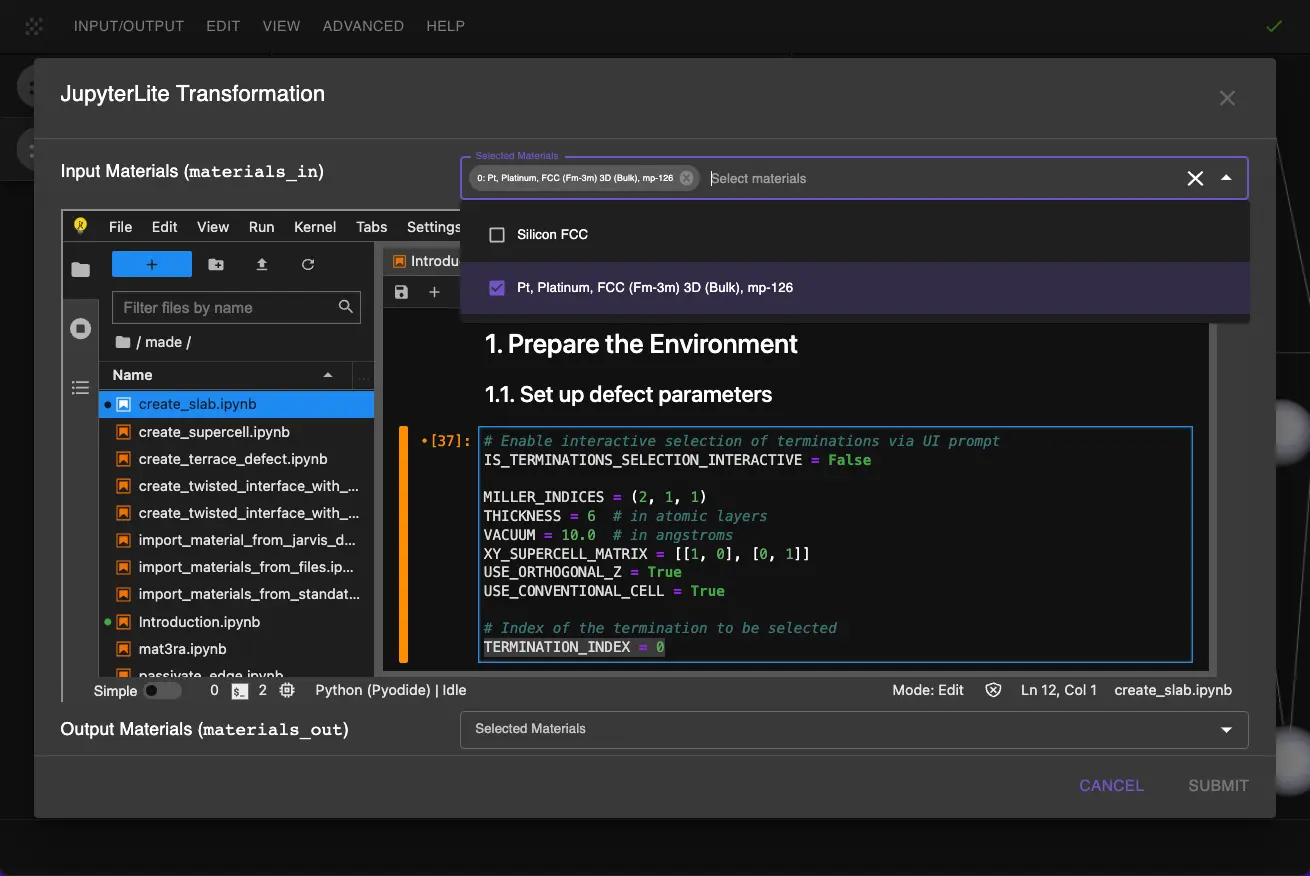
2.3. Configure Slab Parameters
Open a create_slab.ipynb notebook and set up the slab parameters in the "1.1. Set up notebook" cell:
1 2 3 4 5 6 7 8 9 10 11 12 13 14 | |
These parameters will create a Pt(211) surface with:
- 6 atomic layers thickness
- 10 Å vacuum region
- Orthogonal z-axis
- Using the conventional unit cell
2.4. Create the Slab
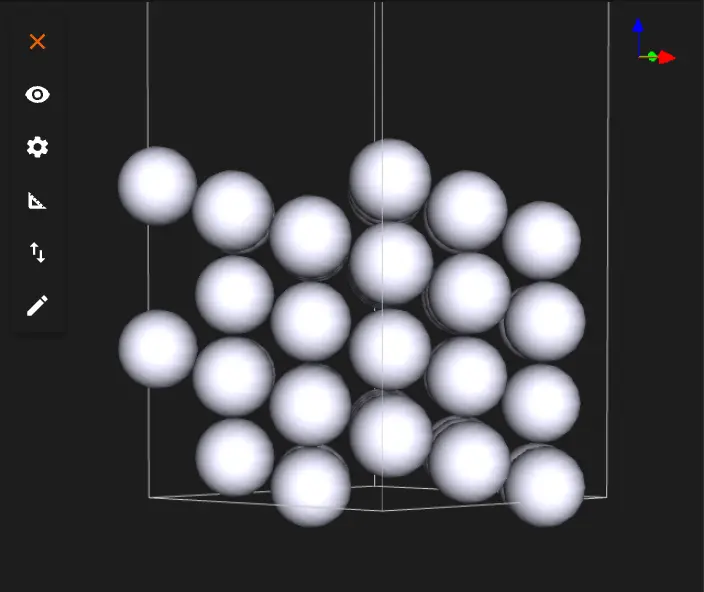
Run the notebook by clicking Run > Run All in the top menu. The notebook will generate the Pt(211) surface.
3. Method II: Create Terrace Step Defect on Pt(111)
- More flexible control over step placement
- Larger surface area available
- Customizable terrace height
- Better for complex step arrangements
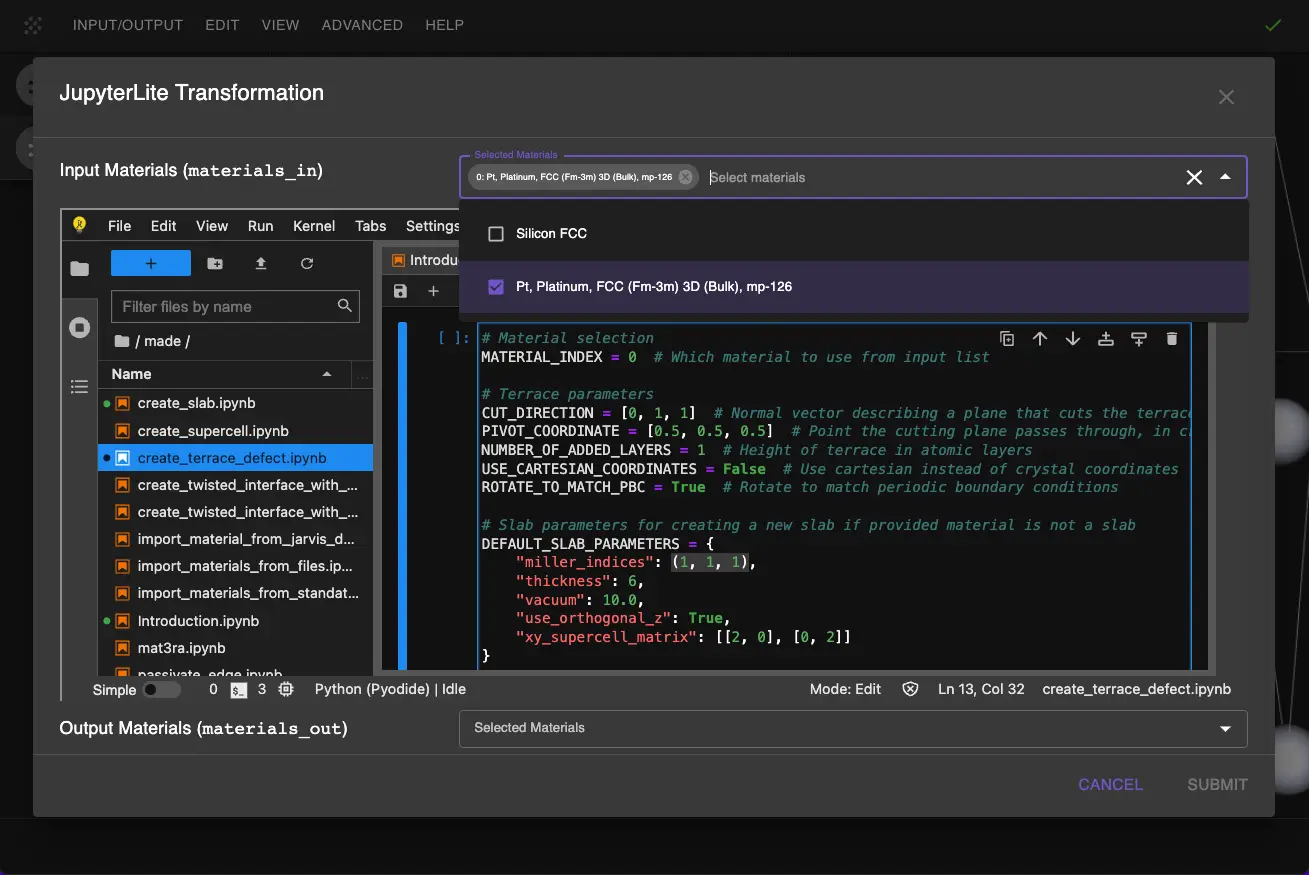
3.1. Open Terrace Defect Notebook
First, open create_terrace_defect.ipynband select Pt as the input material.
3.2. Configure Terrace Parameters
CUT_DIRECTION = [0, 1, 1] -- Normal vector for cutting plane, which will give a perfect periodic match along x and a match along y after rotation.
DEFAULT_SLAB_PARAMETERS["miller_indices"] = (1, 1, 1) -- Miller indices for Pt(111) surface
DEFAULT_SLAB_PARAMETERS["xy_supercell_matrix"] = [[2, 0], [0, 2]] -- Supercell matrix for final structure (which will effectively control the size of the terrace)
1 2 3 4 5 6 7 8 9 10 11 12 13 14 15 16 17 18 19 20 21 22 | |
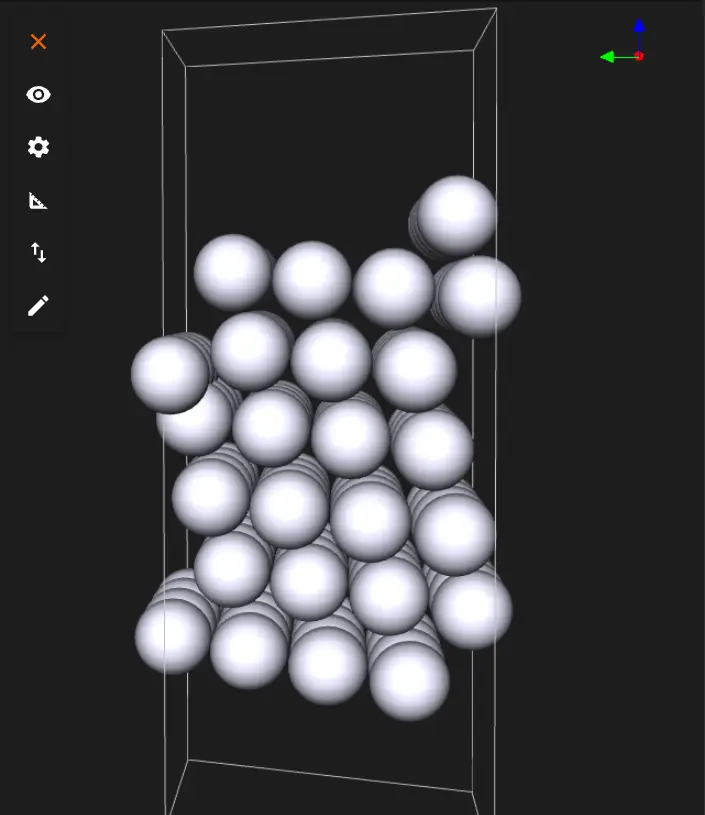
3.3. Create the Terrace
Run the notebook to create the Pt(111) surface with a terrace step.
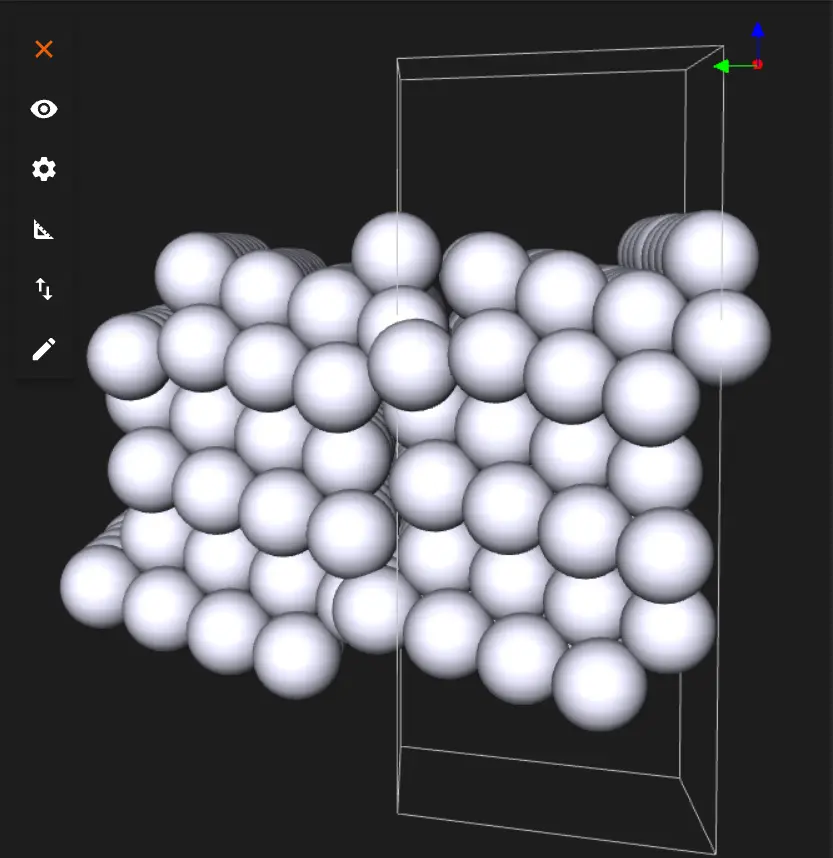
The same material with repetitions:
The user can save or download the material in Material JSON format or POSCAR format.
4. Interactive JupyterLite Notebook
The following JupyterLite notebook demonstrates both approaches. Select "Run" > "Run All Cells" to execute the notebook.
5. References
-
Z. Šljivančanin and B. Hammer. Oxygen dissociation at close-packed Pt terraces, Pt steps, and Ag-covered Pt steps studied with density functional theory. Surface Science, 515(1):235–244, 2002. URL: https://doi.org/10.1016/s0039-6028(02)01908-8. ↩