Spin-Orbit Coupling Band Structure in Quantum ESPRESSO
This tutorial demonstrates how to incorporate the spin-orbit coupling (SOC) effect in a band structure calculation using Quantum ESPRESSO. The example system is Bi2Se3, a prototypical topological insulating material featuring an insulating bulk and conducting surface states. The spin-orbit coupling of heavy bismuth atoms and the presence of a surface are necessary for the occurrence of topological Dirac surface states.
1. Create the slab structure
A slab structure is required for this calculation. DFT calculations operate on periodic systems, so a surface is modeled by adding sufficient vacuum between the layers.
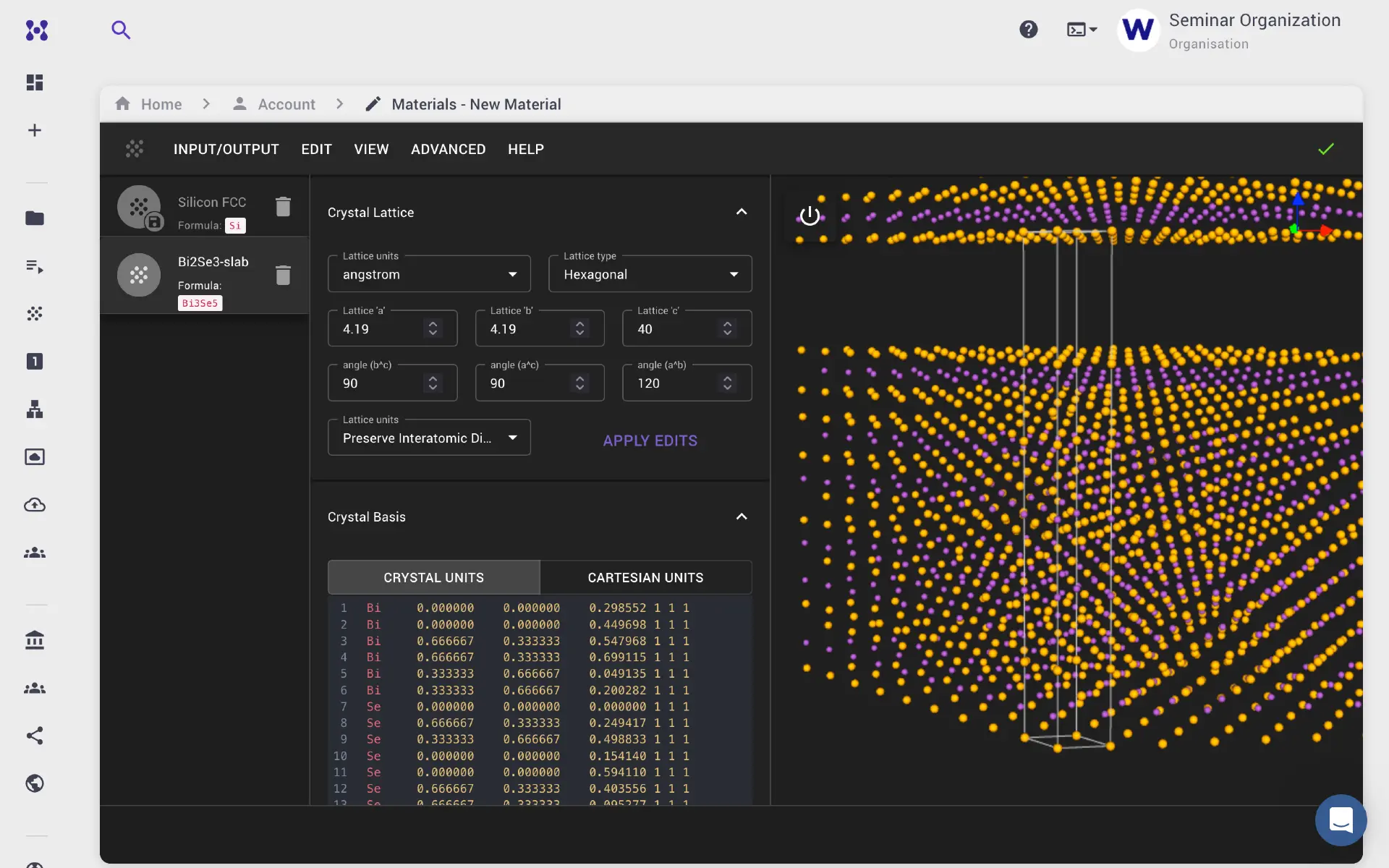
Navigate to the Materials Designer from the left sidebar and click Create New material. Set the lattice type (hexagonal for Bi2Se3), the original lattice constants, and the atomic positions. Then select Preserve Interatomic Distance and increase the lattice vector c to add vacuum to the ab-plane.
2. Create the workflow
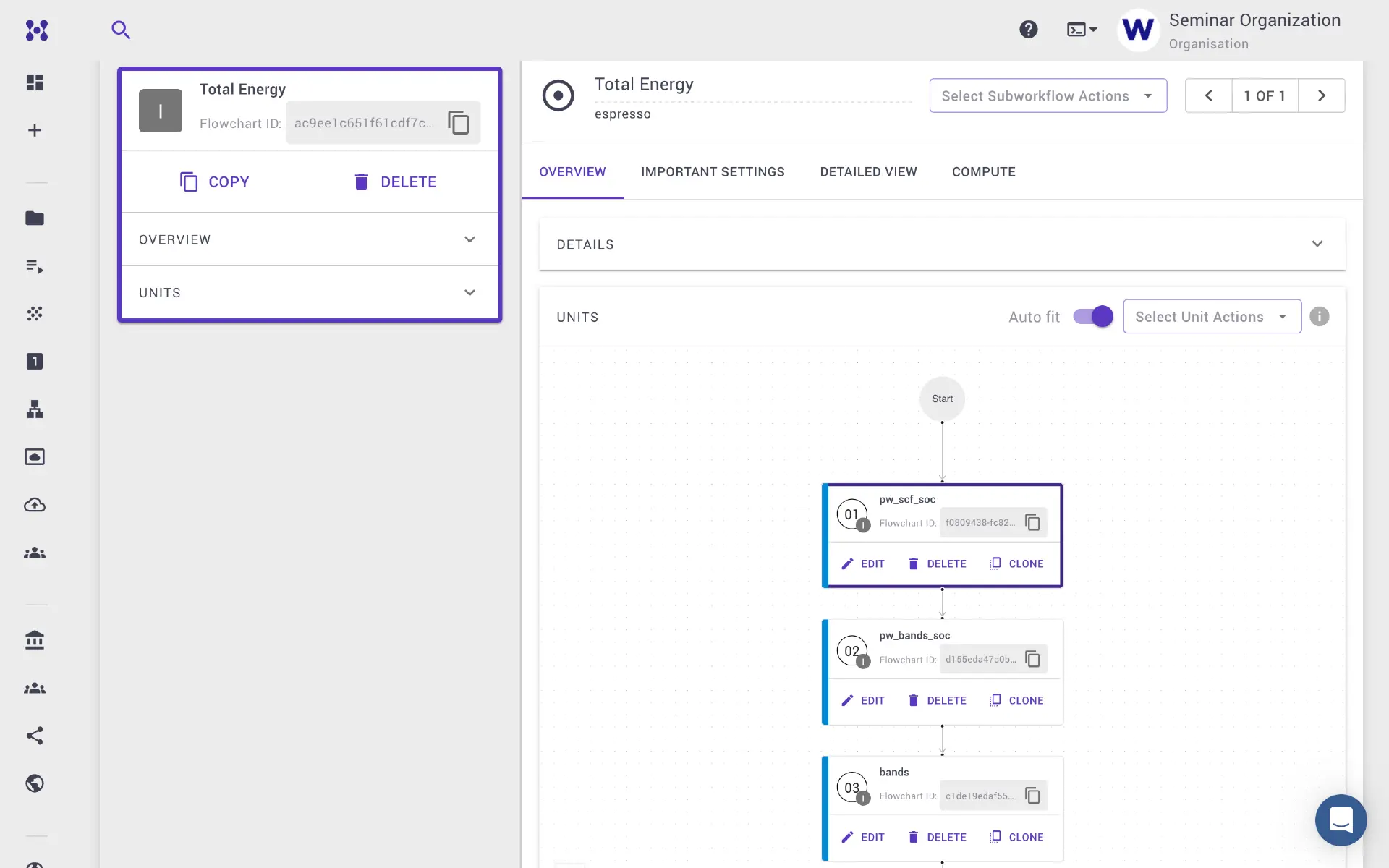
The workflow for band structure with SOC consists of three steps:
- Self-consistent field (SCF) calculation
- Bands (NSCF) calculation along a specific k-path
- Post-processing of the bands calculation
Pseudopotential requirement
SOC calculations require fully relativistic pseudopotentials.
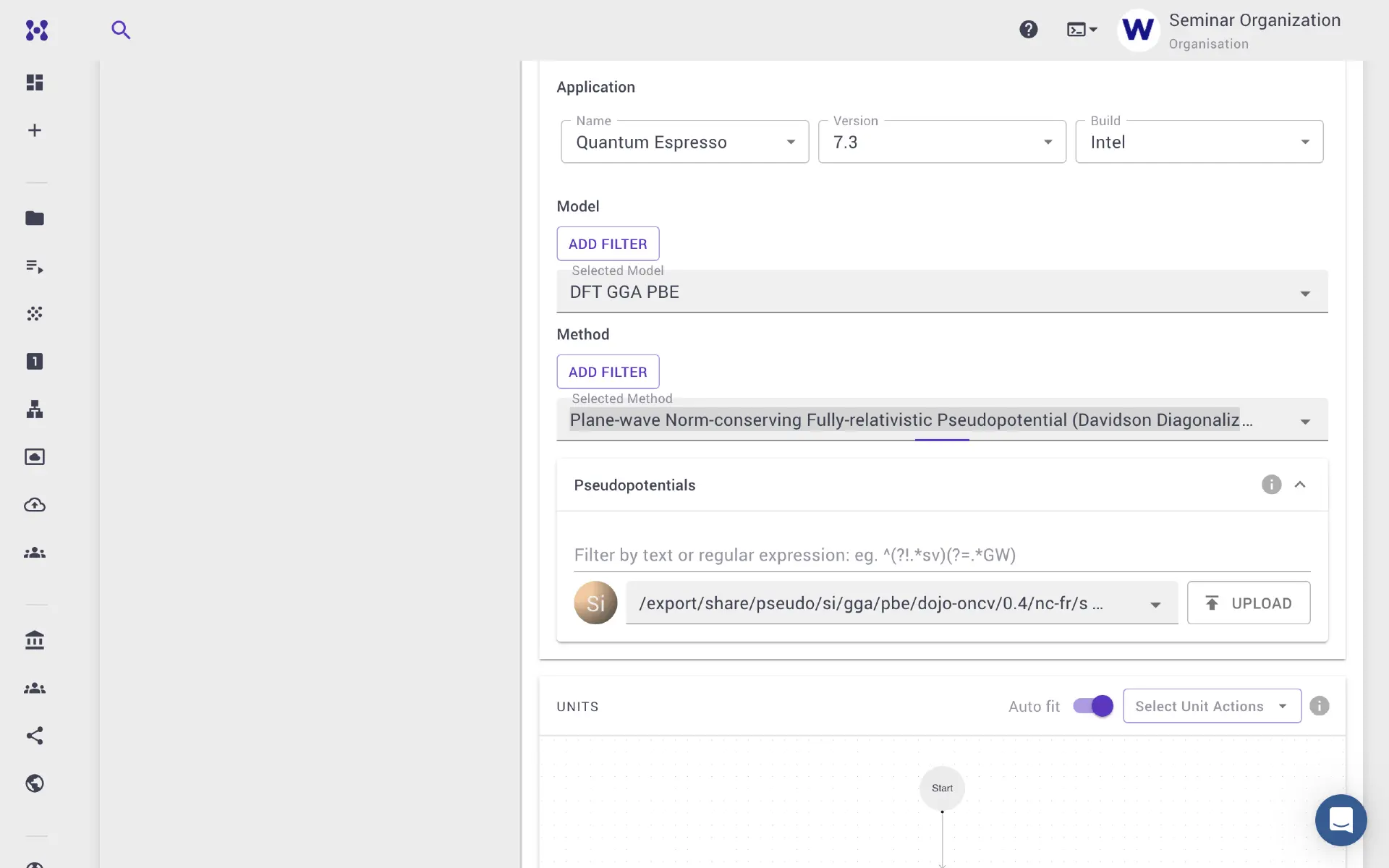
2.1. Configure the SCF unit
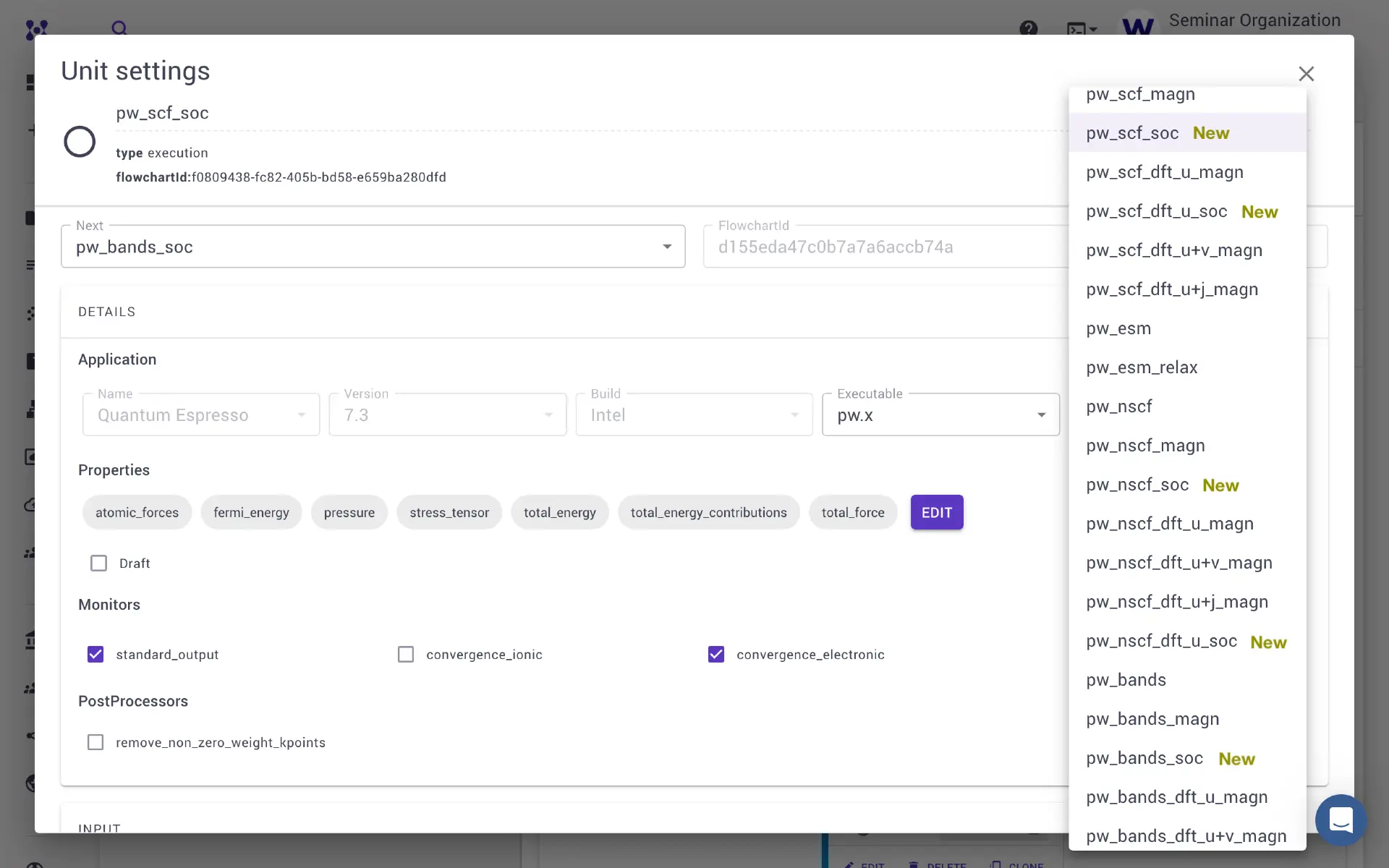
Add an execution unit and select the pw_scf_soc template. Several other SOC templates are available, including SOC in conjunction with the Hubbard U calculation.
2.2. Configure the PW bands unit
Add the next execution unit for PW bands calculation and select the pw_bands_soc template. The k-path and number of points between k-points can be specified in the Important Settings tab.
2.3. Configure bands.x post-processing
Add another unit for post-processing of the bands data. This is an optional step for further analysis of the band structure output.
3. Configure and submit the job
Navigate to the Jobs Designer from the left sidebar and click Create New job. Select the material and workflow.
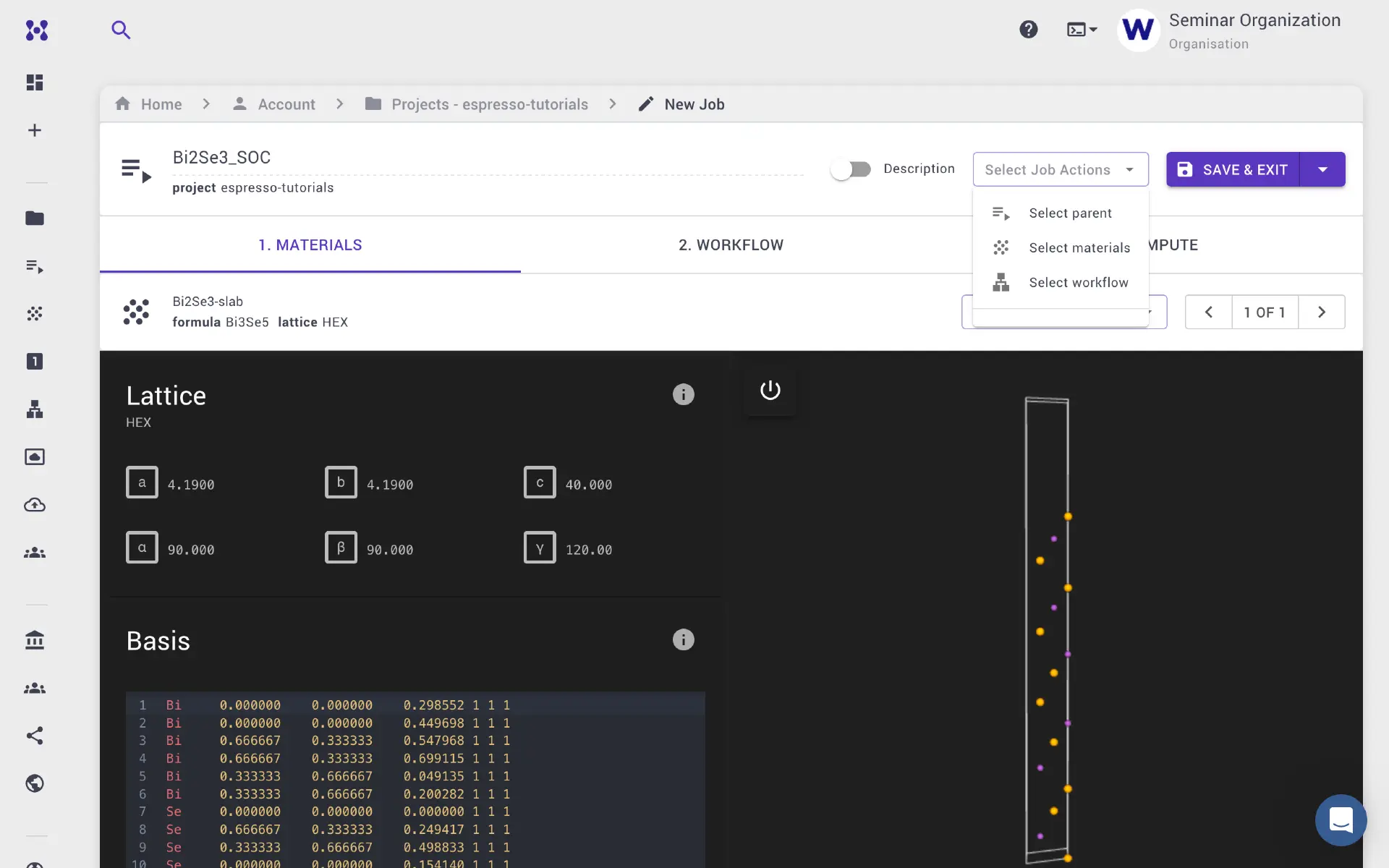
The workflow units can be further edited under the Important Settings tab to set the k-grid density, starting magnetization, k-path, and other parameters.
Faster convergence from pre-converged density
SOC calculations are slower to converge. It is possible to start a SOC calculation from a previously converged SCF charge density that was performed without SOC. This is faster than starting without any initial charge density.
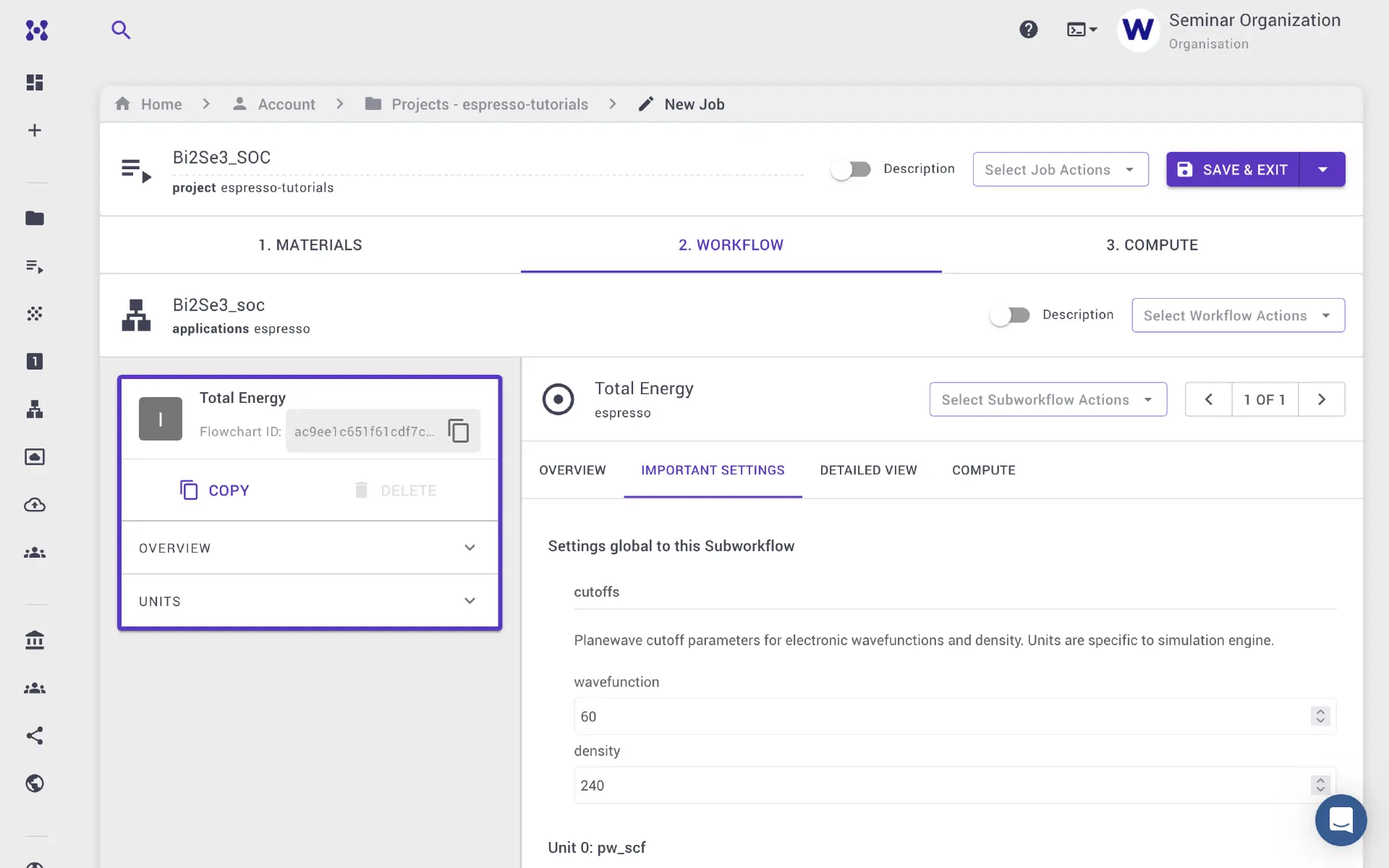
Navigate to the Compute tab to set the time limit, queue, number of nodes, and processor cores per node.

Save and exit the Job Designer, then hover over the job and click the Run button to submit.
4. Examine the results
Once the job completes, navigate to the Results tab for a summary including the band structure plot. With sufficient convergence parameters (k-grid density, cutoff energies, convergence threshold), conducting Dirac surface states should be visible in the slab calculation. Repeating the calculation for the bulk and comparing the results allows identification of the surface states — the bulk-only calculation should show a band gap.
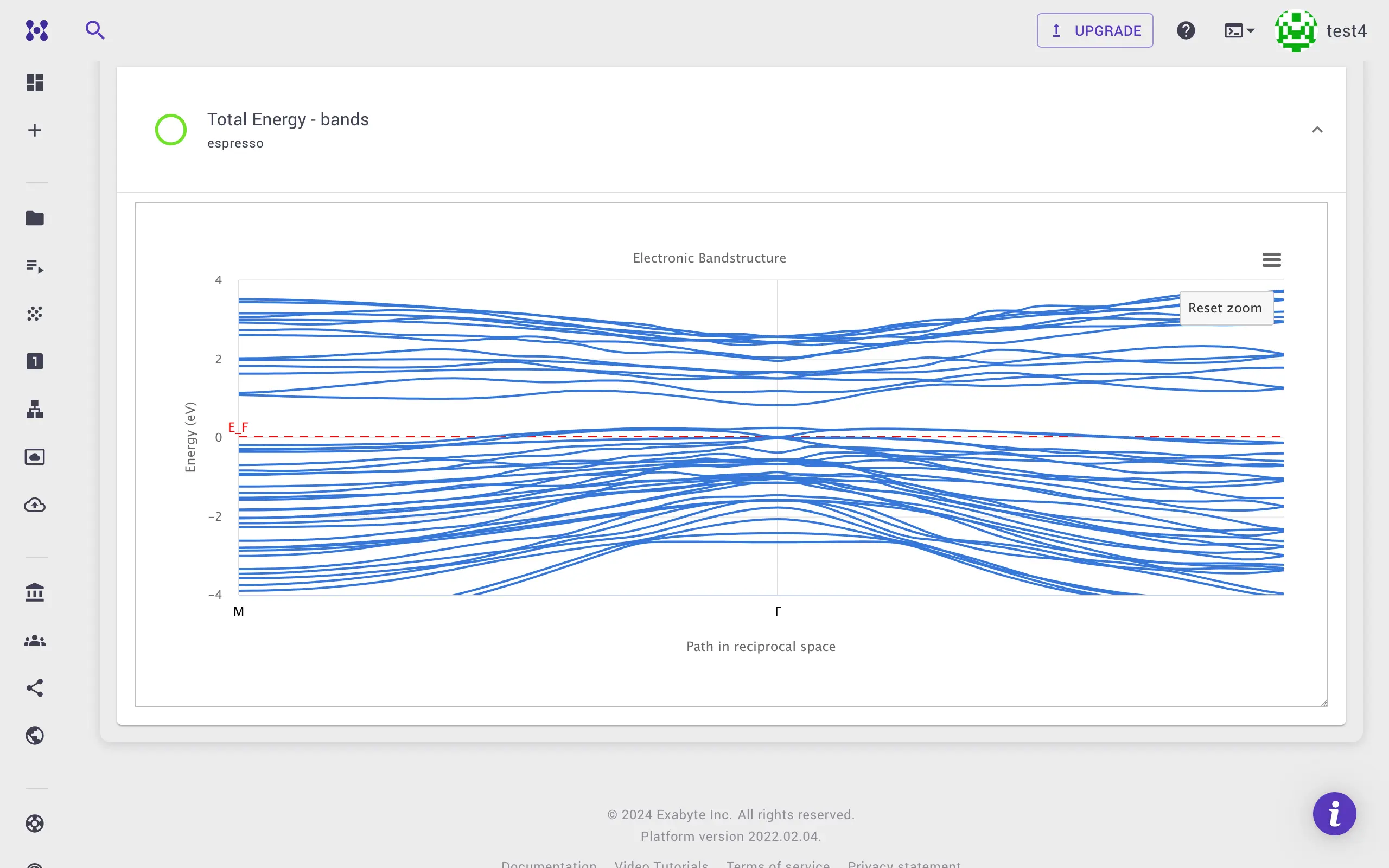
Convergence required for topological states
The band structure plot shown above was obtained using coarse convergence parameters. More stringent convergence is needed to resolve the topological Dirac states clearly.
All output files are available under the Files tab. Jupyter notebook sessions on the platform or local downloads can be used for further analysis.
5. Video walkthrough
The animation below demonstrates the full calculation workflow.